![Logo - BG Dark.png]](https://knowledge-base.optidigital.com/hs-fs/hubfs/Logo%20-%20BG%20Dark.png?height=40&name=Logo%20-%20BG%20Dark.png)
Visual & Design Customization
Customize the look of your sticky units to align with your site’s branding and UX standards.
-
Sticky Background: Choose between a color fixed background for clear separation from content or a transparent background for a more integrated, modern feel.
-
Sticky Close Position: Control how users dismiss the ad. You can position the close button on the left or right, or disable it altogether.
-
Inventory Selection: Granularly enable or disable sticky formats specifically for Web (Desktop) or Mobile environments.
Placement & Logic Controls
Fine-tune exactly where and when your ads appear to capture the highest attention.
-
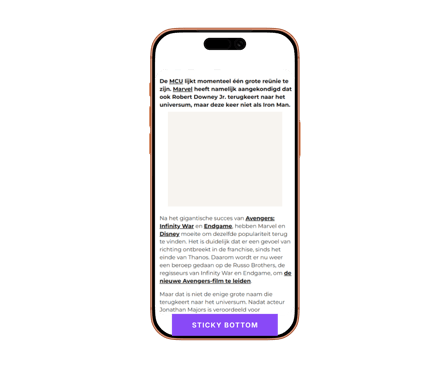
Sticky Position (Mobile): Choose between 'Sticky Top' to keep the ad anchored at the header or 'Sticky Bottom' to keep it at the footer of the screen.
-
Trigger Mechanism: Select the precise moment the ad activates:
-
On Page Load: Immediate visibility upon entry.
-
On Scroll: Trigger the ad only after the user has scrolled a specific distance (in pixels).
-
-
Frequency Capping: Prevent "ad fatigue" by setting a maximum number of impressions per user within a specific timeframe
Performance & Screen Optimization
-
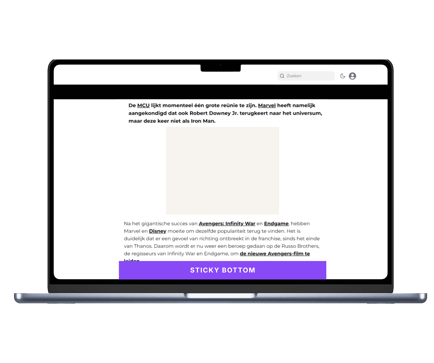
Large Screen Optimization: For mobile devices or desktop devices with high resolutions (height mobile > 800px, height desktop > 1250px) our system can automatically adjust the ad height. This larger surface area significantly enhances visibility and engagement on very tall smartphones or computers.
- Page Exclusions: Maintain full control over your layout by specifying exact pages to exclude from sticky formats (homepage, sponsored articles, premium content...).
-
Ad Unit Exclusions: Maintain full control over your layout by specifying exact ad units to exclude from being transformed into sticky formats. This is ideal for preventing overlaps with critical UI elements or specialized content blocks.
Learn more about how Sticky Ads generate strong revenue here